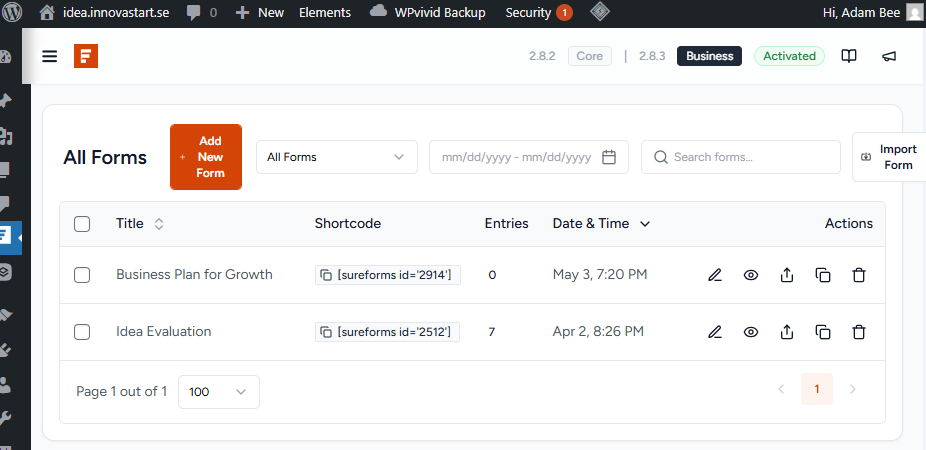
This is a pure test site for SureForm work/process
Hi, I need assistance with configuring existing features and guidance on setting up a workflow scenario within. Is it possible in the existing SureForm to configure to import data from a form A into matching fields in a form B?
If yes, I would like to set up the following workflow. Can you assist? Conditions: Import content to be read-only, and other fields to be editable. Rule to apply when importing: Import once per specific form A! For more details, see the attached matching list in email in Excel-format. Please assist and guide me!
And this is the work process step-by-step: Steps 1 and 2 below are based on the existing forms and the update options that have already been completed, (see menu).
Update & Save Idea Evaluation
.
Go to the Create Business Plan
And are steps 3-7 below configurable?
I want an import button drop-down list to appear in the business plan, displaying saved SureForms labelled “idea evaluation.”
Decision by user: Determine whether to import an Idea Evaluation form, or not import.
If yes to import, you have to select an idea evaluation form from a drop-down list of forms you created previously.
Click to import. Your business plan will now be updated with imported selected content.
Continue save & continue and/or submit the business plan and so on.
Comments: All those steps are to be executed within a user role configured in SureMembers. The theme used is Brizy. See the attached screenshot and the matching list in Excel format.